Mac vs Windows on Privacy, What the Settings Actually Do, and Where Each One Leaks
Most people run either Windows 11 or macOS, and both collect data, hand some of it to governments, and run advertising businesses. I went through what each system actually knows about you, what you can switch off, and where the real differences are, using the published numbers rather than brand loyalty. If privacy is your top priority the honest answer is neither of them, and I will get to that.
Last verified Also on Medium
On this page
- What each system knows about you
- Who gets your data when the government asks
- Encryption, and the keys that protect it
- The iCloud encryption fight that shows the real limits
- The small signals that tell you when you are being watched
- How much work it takes to lock each one down
- The honest verdict, and the asterisk on all of it
If you are reading this on a laptop, it is almost certainly running Windows or macOS. Together they cover the overwhelming majority of personal computers, so for most people the privacy question is a straight fight between the 2. Wiping the machine and installing Linux changes the game entirely, and I will come back to that at the end, but first the comparison people actually face.
I want to go through this the way you would evaluate it yourself, what the system collects, who it shares with, how it protects your data at rest, and how much work it takes to lock each one down. Both companies have real privacy features and both have been caught doing things their users did not expect. This piece sticks to what each one actually does with your data.
What each system knows about you
Windows sends telemetry back to Microsoft in 2 tiers. The first is what Microsoft calls required diagnostic data, the basic signals about whether your machine is working. The second is optional diagnostic data, which can reach much further, the apps you open, the devices you plug in, and aspects of your browsing. You can reduce the optional tier, but understanding exactly what is being sent, and turning it down, takes real effort because the controls are spread across several settings pages.
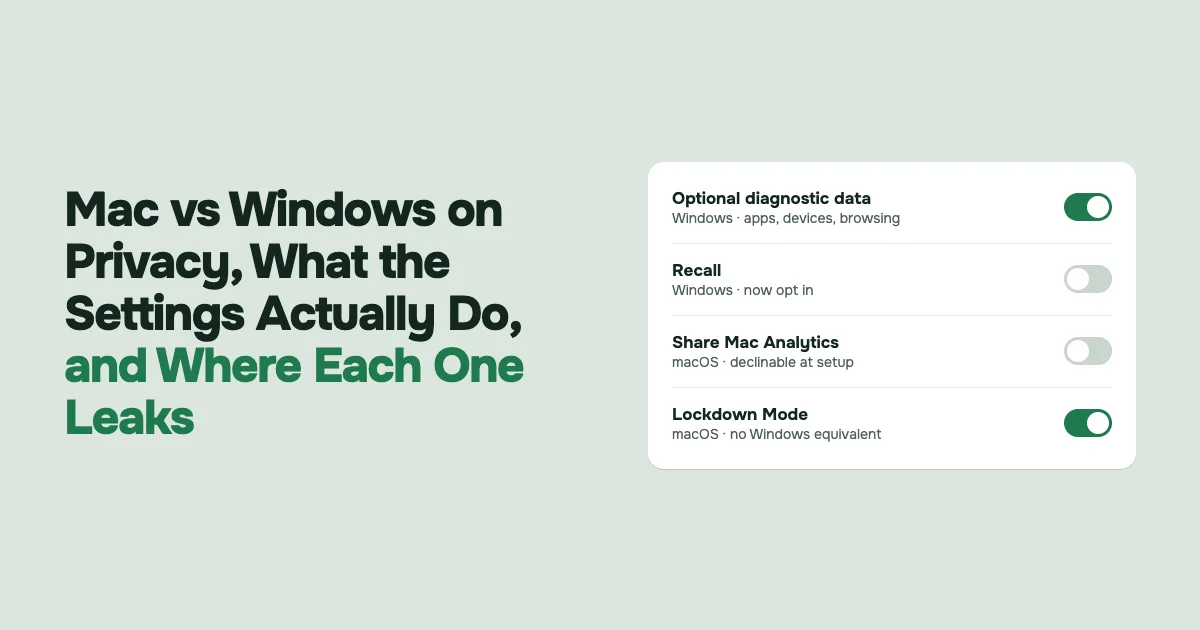
The feature that drew the most alarm is Recall, announced in 2024 for Copilot Plus PCs. Recall takes near constant snapshots of your screen so you can search your own past activity later. The original plan had it enabled by default, and the backlash was immediate, because a computer quietly screenshotting everything will also screenshot your banking pages, private messages, and anything a family member does on a shared machine, including people who never agreed to it. After security researchers showed the snapshots were poorly protected, Microsoft reworked Recall to be opt in, encrypted the data, and tied access to Windows Hello authentication. It is off unless you choose it now, which is a real improvement, though the fact that the first design shipped on by default tells you something about the defaults mindset.
Apple collects diagnostic data and user information too, and the setup process lets you decline analytics sharing, Siri, and Apple Intelligence as you go. Apple has also been caught. In 2019 a whistleblower revealed that contractors grading Siri performance were listening to recordings that included medical conversations, what sounded like drug deals, and people having sex, much of it captured by accidental Siri activations. Apple apologized, said it had not been living up to its ideals, paused the grading program, and later made it opt in. The episode ended in a $95 million settlement in early 2025 over the Siri recordings, paying affected users up to $20 per device, without Apple admitting wrongdoing.
So both have slipped. The practical difference is how easy each makes it to say no. On a Mac the privacy toggles sit together and are clearly labeled. On Windows they are scattered, and some, like the old Recall default, started in the wrong position.
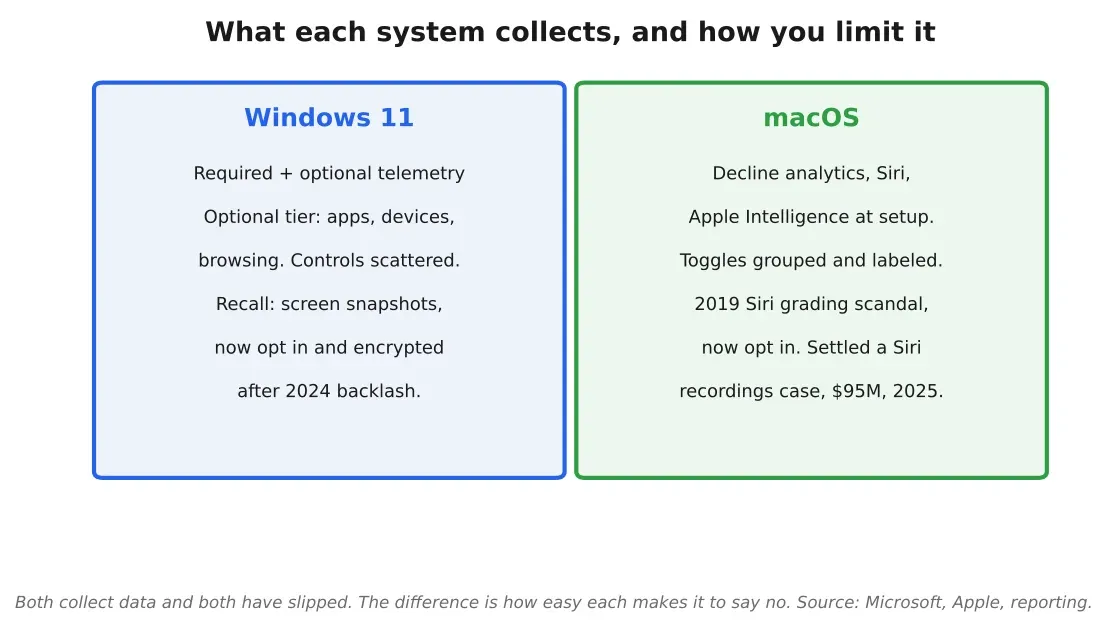
Figure 1. What each system collects and how you limit it. Windows splits telemetry into required and optional tiers and introduced Recall screen snapshots, now opt in. macOS lets you decline analytics, Siri and Apple Intelligence at setup, and settled a Siri recordings case for $95 million in 2025. Source: Author summary based on Microsoft and Apple documentation and reporting
Who gets your data when the government asks
This is the part people skip, and it matters more than most settings. Both companies hand user data to law enforcement, and both publish transparency reports, so you can check the numbers rather than guess.
Microsoft receives tens of thousands of law enforcement requests for consumer data every year and publishes the totals in its Law Enforcement Requests Report. Apple does the same in its own transparency report. For the first half of 2024, Apple reported 12,043 device requests from US authorities covering 42,747 devices, and said it provided data in about 85% of those US cases. The exact figures move every reporting period. What matters is that if a government asks either company for your data through the proper legal channel, you should assume it can often be produced.
Where the 2 diverge is the appetite for your data in the first place. Microsoft is a sprawling ecosystem, Windows, Microsoft 365, OneDrive, Xbox, LinkedIn, Copilot, and it is actively hungry for data to feed its AI products. LinkedIn, which Microsoft owns, defaulted users into letting their posts and activity train AI. Microsoft has also been steadily tightening Windows 11 setup so that creating a plain local account is harder, pushing you toward a Microsoft account and an internet connection during install, with the old bypass commands removed in recent builds. A Microsoft account ties your machine to the company’s cloud from the first boot and makes it easier to nudge you into OneDrive and Microsoft 365. Apple runs an advertising business too, but it does not track you across unrelated apps or sell your profile to third parties. Apple’s ad system places you into audience segments and will only serve a personalized ad if more than 5,000 people match the same criteria, so you are hidden in a crowd rather than singled out. Most of the wider ad industry targets all the way down to the individual. That design choice is the clearest privacy gap between the 2 platforms, and it favors Apple.
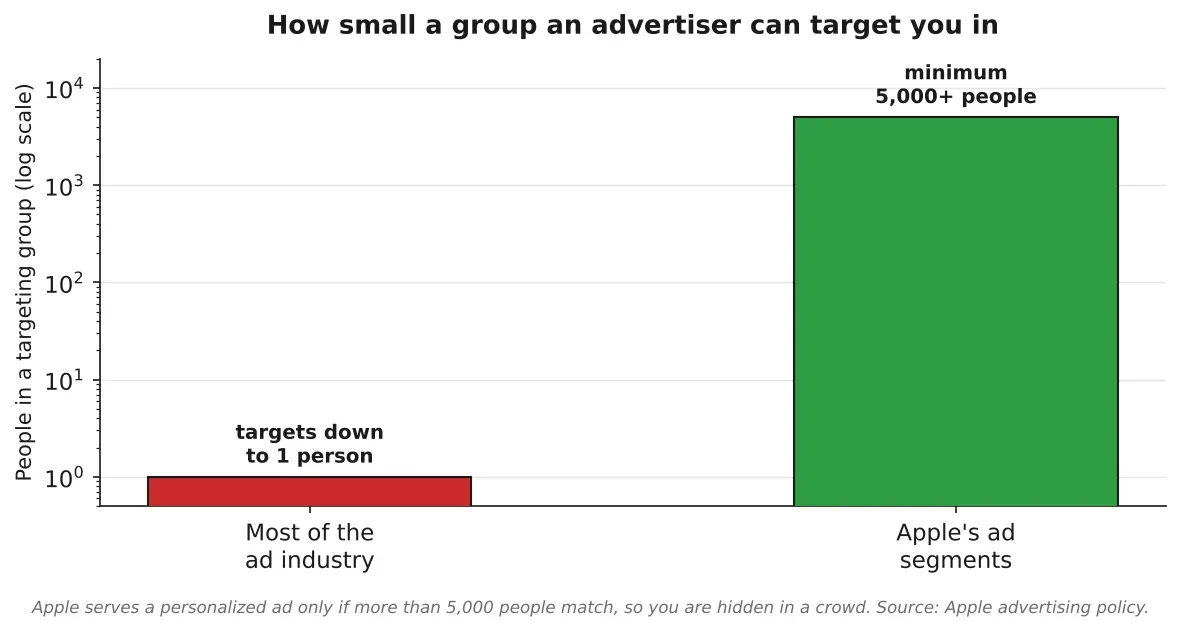
Figure 2. Both companies disclose law enforcement requests, Apple reported 12,043 US device requests in the first half of 2024 with about 85% provided. The sharper difference is the business model, Microsoft collects broadly to feed AI products, while Apple limits ad targeting to groups of more than 5,000 people and does not track across apps. Source: Author chart based on Apple and Microsoft transparency reports
Encryption, and the keys that protect it
Both systems can encrypt your disk, so a lost or stolen laptop does not hand over your files. On a Mac the feature is FileVault. On Windows it is BitLocker, or device encryption on some editions.
The difference is in defaults and key handling. FileVault, once enabled, encrypts the whole Mac, and Apple pushes you to turn it on. BitLocker gives you the option to store your recovery key in Microsoft’s cloud, which is convenient if you forget it, and also means the key now sits on Microsoft servers, a target for anyone who breaks in there. Whether that tradeoff is acceptable depends on your threat model, but you should know the key left your machine. One important limit applies to both, disk encryption protects a powered off device. Once the machine is on and unlocked, the data is decrypted and exposed to whatever is running.
Apple adds one more layer that Windows has no direct equivalent for. Lockdown Mode, introduced in 2022, is a stripped down high security state for people who might be targeted by mercenary spyware like Pegasus, journalists, activists, political figures. It disables risky features that attackers exploit, and Apple built it into iPhone, iPad, and Mac. It is overkill for most people and genuinely useful for the few who need it, and nothing on the Windows side matches it.
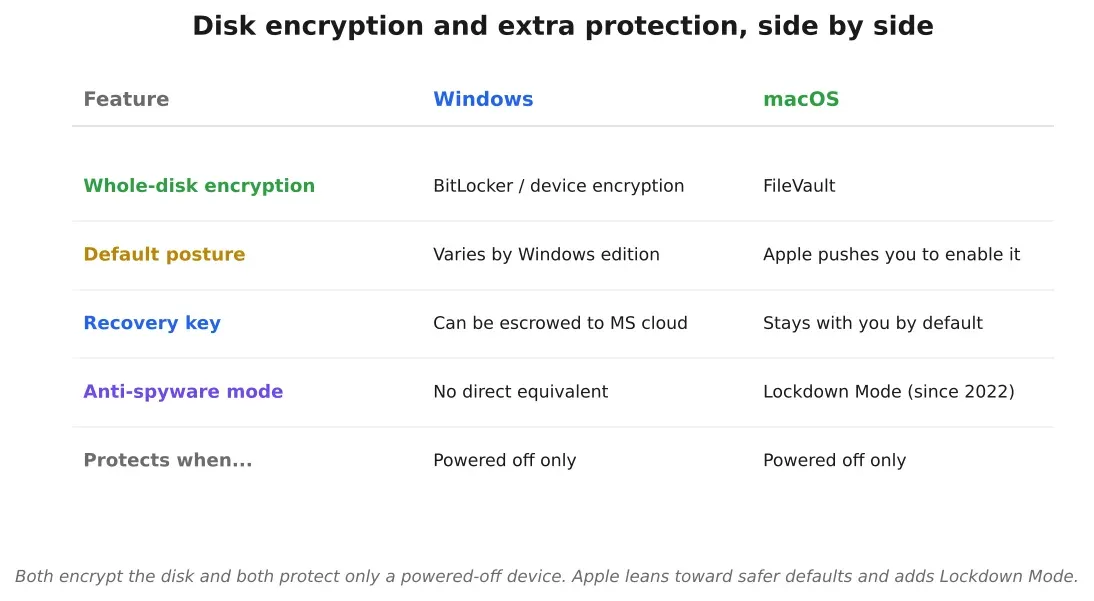
Figure 3. Disk encryption on both, with different defaults. FileVault encrypts the whole Mac and Apple pushes you to enable it, while BitLocker can escrow your recovery key to Microsoft’s cloud. Apple adds Lockdown Mode, a high security state against mercenary spyware, with no direct Windows equivalent. All disk encryption protects only a powered off device. Source: Author summary of FileVault, BitLocker and Lockdown Mode
The iCloud encryption fight that shows the real limits
There is one more piece that cuts through the marketing on both sides, and it happened to Apple in 2025. Apple offers an optional iCloud setting called Advanced Data Protection, introduced in December 2022, that applies end to end encryption to most of your iCloud data, backups, photos, notes, and more, so that only you, on your trusted devices, can decrypt it. With it on, Apple itself cannot read that data, which also means Apple cannot hand it to a government even if ordered to.
In early 2025 the UK government served Apple with a secret order, reported by the Washington Post, demanding a backdoor that would give access to the unencrypted data of Apple users worldwide. Apple’s response was to pull Advanced Data Protection for UK users rather than build the backdoor, stopping new UK sign ups from 21 February 2025 and moving to turn it off for existing UK users. Apple said it was gravely disappointed, that it hopes to offer the feature in the UK again, and that it has never created a backdoor or master key for any of its products.
That story cuts 2 ways. The strong protection is real, when Advanced Data Protection is on, the data is out of Apple’s reach and therefore out of a government’s reach through Apple. A government with enough power can still force the protection to be withdrawn in its territory.
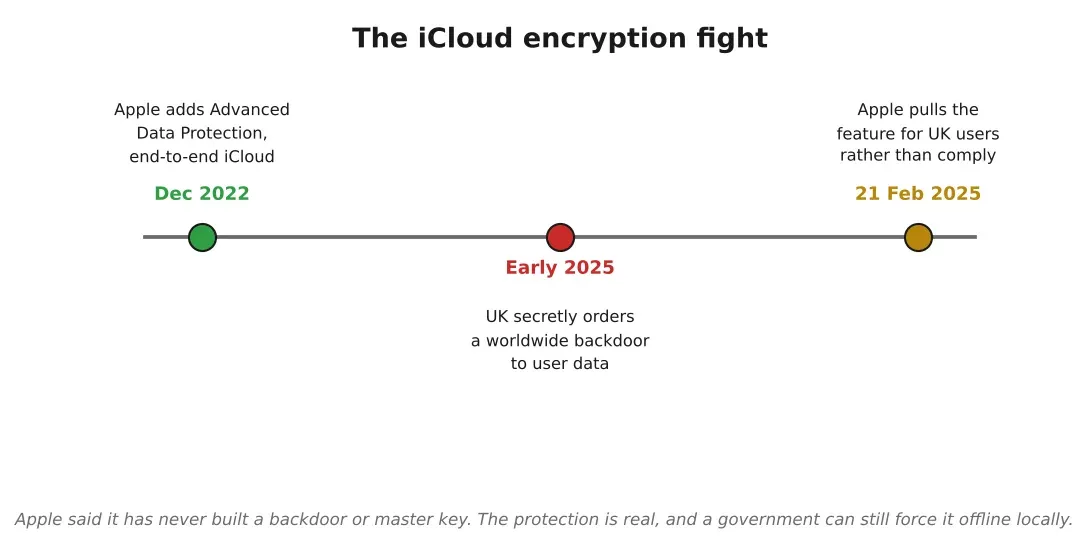
Figure 4. The iCloud encryption fight, start to finish. Apple added end to end encrypted Advanced Data Protection in December 2022, the UK secretly ordered a worldwide backdoor in early 2025, and Apple pulled the feature for UK users from 21 February 2025 rather than build one. It shows both that the strong protection is real and that a government can force it offline locally. Source: Author timeline based on reporting and Apple statements
The small signals that tell you when you are being watched
Some of the most useful privacy features are the ones that just tell you what is happening. On a Mac the camera has a green light wired into the same circuit that powers it, so the light physically comes on whenever the camera is recording, and software cannot switch the camera on while leaving the light off. macOS also shows a dot in the menu bar, orange when the microphone is active and green for the camera, so an app cannot quietly listen or watch without a visible tell. Windows shows a camera indicator too, but the Mac camera light being wired to the hardware rather than drawn by software is a stronger guarantee.
Apple also gives you 2 network level tools worth turning on. iCloud Private Relay, included with a paid iCloud+ plan, routes your Safari traffic through 2 separate relays so that no single party sees both who you are and which site you are visiting, Apple sees your IP but not the destination, a partner sees the destination but not your IP. It is narrower than a full VPN, it only covers Safari and does not let you pick a country, but it hides your address from the sites and networks you touch. The second is private Wi-Fi addressing, which rotates the hardware identifier your device broadcasts on each network so you are harder to track as you move between them. Windows has no built in equivalent to either, you would reach for a third party VPN and manual settings instead.
How much work it takes to lock each one down
Settings only help if you can find them. I went through the realistic checklist for each system, the things a privacy minded person would actually turn off.
On Windows 11 the list is long and spread out. Turn off the advertising ID, cut optional diagnostic data, check location permissions, review camera and microphone access, look at inking and typing personalization, audit background apps for anything acting like a keylogger, check OneDrive syncing, review Edge’s privacy and sync settings, see which apps can read your account info, open the privacy dashboard, open the diagnostic data viewer, confirm encryption is on, and if you have Recall, turn it off and delete any existing snapshots. It is thorough because it has to be, and it is scattered across many screens.
On macOS the equivalent pass is shorter and more centralized. Turn off analytics sharing with Apple and with developers, disable Siri and dictation if you want, turn off ad personalization, check location services, camera, microphone, and screen recording permissions, review full disk access and accessibility, check startup and background apps, review iCloud syncing, check Safari’s privacy settings, enable FileVault, and review the devices attached to your Apple account. Fewer stops, and they live closer together.
There is a catch on the Windows side that users report often, that a major update can quietly flip some privacy settings back toward the defaults, so the pass you did last year may need doing again. It is common enough that a small industry of tools like O&O ShutUp10 exists mainly to reapply the same settings after each update. Treat the Windows lockdown as something to re check rather than set once.
Neither system is simply secure or insecure. What separates them is that macOS makes the private configuration easier to reach, and easier settings get used. A privacy control buried 5 menus deep is one most people never touch.
The honest verdict, and the asterisk on all of it
On the comparison most people actually face, a Mac out of the box leans more private than a Windows 11 PC out of the box, mostly because of defaults and discoverability. Apple’s business does not depend on harvesting your behavior the way an ad and AI data strategy does, the privacy settings are easier to find and use, FileVault and Lockdown Mode are strong, and features like Siri and Apple Intelligence are genuinely optional. Windows can be locked down to a similar place, but it takes more work and more knowledge, and some defaults have started in the wrong spot.
None of that makes either one the most private option available. Both send telemetry home, both comply with lawful government requests, and both are run by companies with commercial reasons to know things about you. If privacy is your absolute priority, this road ends at Linux, a free and open operating system built from many distributions like Debian, Ubuntu, and Fedora. Linux is not bulletproof either, it is assembled from many independent pieces, any of which can carry a vulnerability for days or weeks, so it demands that you keep it updated and pay attention to what is running. The payoff is a system nobody is monetizing and that you fully control. For most people that is more maintenance than they want, which is exactly why the real choice stays Windows versus Mac, and why knowing what each actually does with your data is worth the half hour it takes to set up.
Sources
- Microsoft Recall screenshot feature and backlash, BBCbbc.com. Accessed 26 October 2026.
- Microsoft reworks Recall to opt in after backlash, GeekWiregeekwire.com. Accessed 26 October 2026.
- Apple contractors hear confidential Siri recordings, The Guardiantheguardian.com. Accessed 26 October 2026.
- Apple to pay $95 million to settle Siri snooping lawsuit, Reutersreuters.com. Accessed 26 October 2026.
- Apple transparency report, government requestsapple.com. Accessed 26 October 2026.
- Microsoft Law Enforcement Requests Reportmicrosoft.com. Accessed 26 October 2026.
- Apple advertising and privacy, the 5,000 person segment thresholdapple.com. Accessed 26 October 2026.
- Apple Lockdown Mode against mercenary spyware, BBCbbc.com. Accessed 26 October 2026.
- Apple pulls iCloud Advanced Data Protection in the UK after backdoor demand, BleepingComputerbleepingcomputer.com. Accessed 26 October 2026.
- Siri settlement pays up to $20 per device, The Hacker Newsthehackernews.com. Accessed 26 October 2026.
- iCloud Private Relay, how it works, Apple iCloud User Guidesupport.apple.com. Accessed 26 October 2026.
Related stories
Security
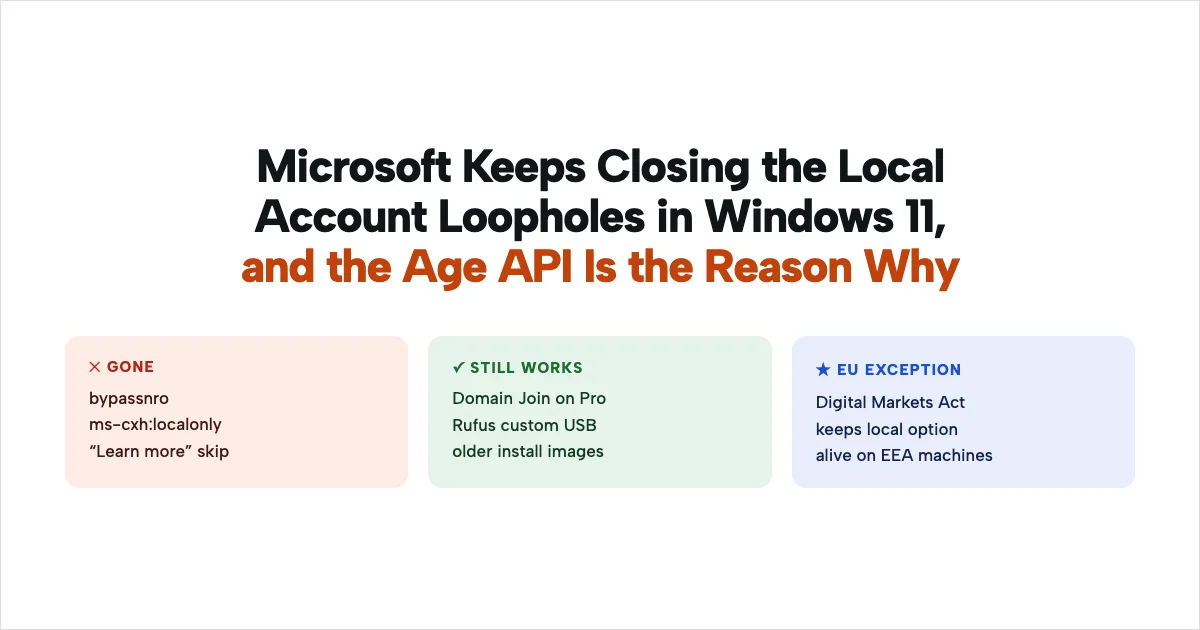
Microsoft Keeps Closing the Local Account Loopholes in Windows 11, and the Age API Is the Reason…
In October 2026 Microsoft quietly killed the last easy way to set up Windows 11 without a Microsoft account, after spending 2025 blocking the rest. I went through exactly which bypasses are gone, what still works, and why a new feature called the Windows age API, that reports whether you are a child, a teen, or an adult, is the piece that ties it all together. None of this requires a conspiracy to explain, the mechanism is on the record.
AI & GPU compute
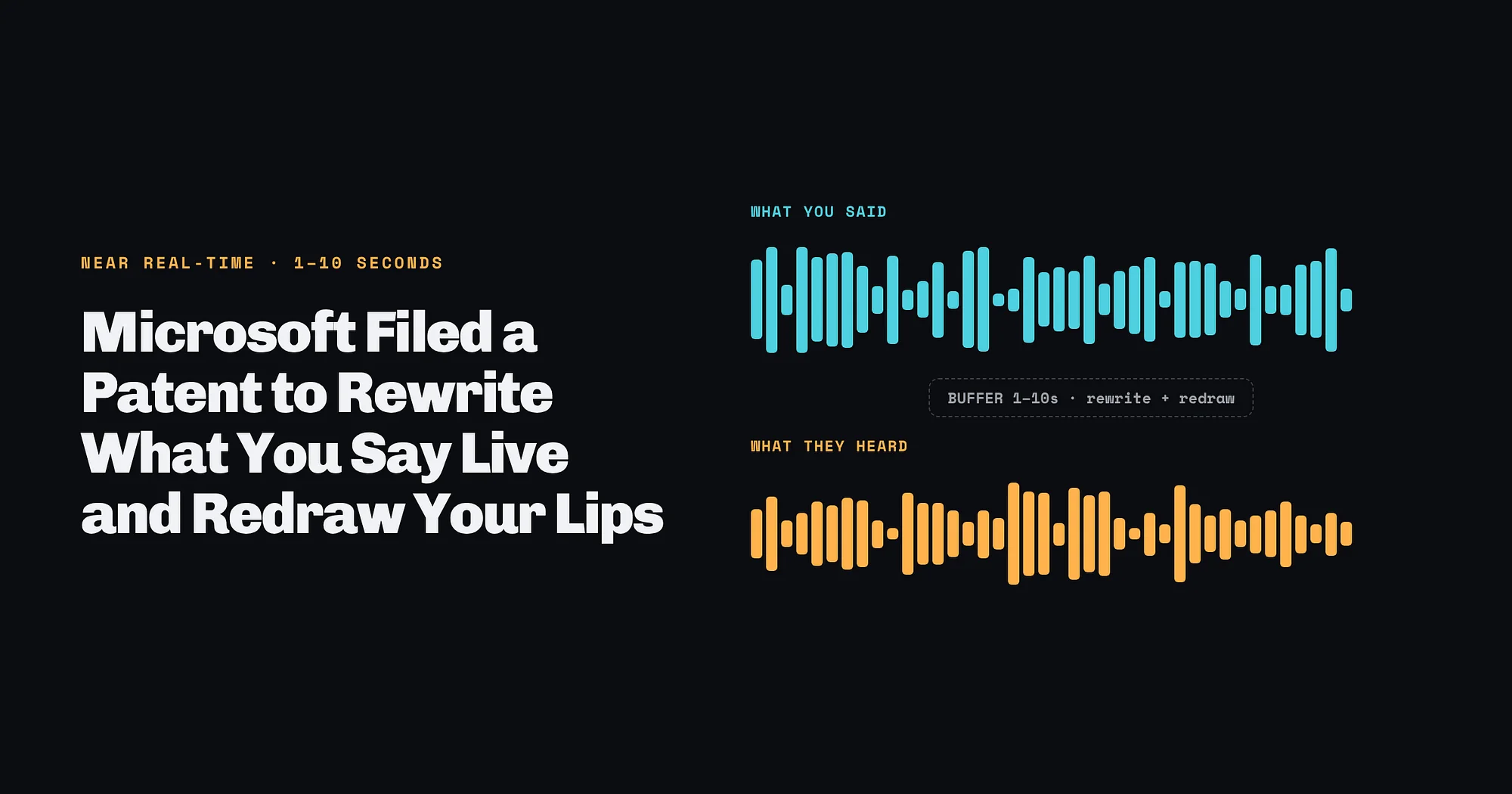
Microsoft Filed a Patent to Rewrite What You Say Live and Redraw Your Lips
Application US 2026/0341309 A1 describes swapping words in live video within 1 to 10 seconds, tailored to each viewer’s profile. The main claim says nothing about telling viewers, no patent has been granted, and nearly every piece of the idea already ships somewhere.
Infrastructure
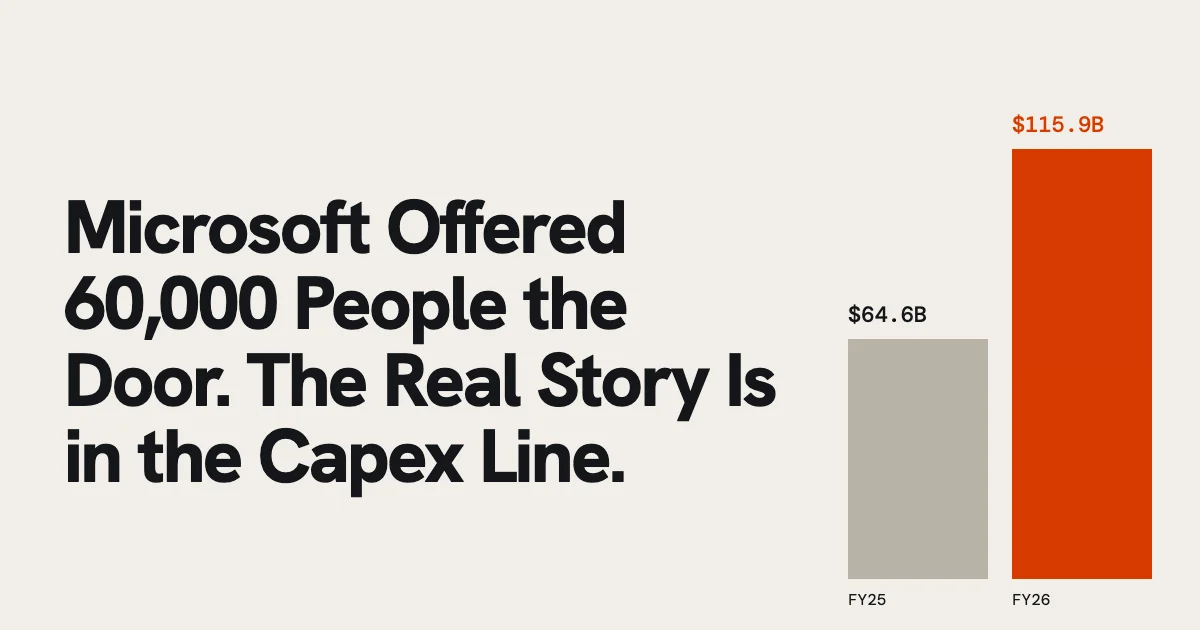
Microsoft Offered 60,000 People the Door. The Real Story Is in the Capex Line.
The headline reads as an AI layoff. Read the spending next to the revenue and a different reason shows up, one that will land at Google and Meta next.